the Express
Photo booth
Changing the paper
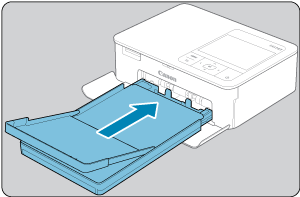
If a message indicates that the paper has run out, remove the paper cassette without turning off the power.
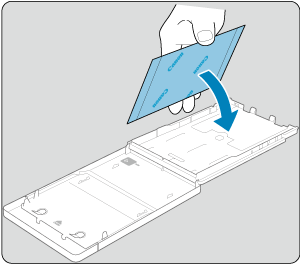
Add more paper to the cassette glossy side up and reinsert the cassette
Changing the ink
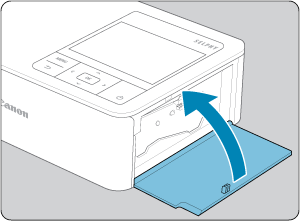
If a message indicates that the ink has run out, open the ink cassette compartment cover without turning off the power.
Locate the ink cartridge slot on the right side of the printer.
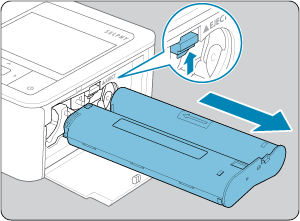
Slide open the ink compartment door then gently pull the ink cartridge out of the compartment.
Move the lock in the direction shown to remove the ink cassette, and then insert a new ink cassette
Look for the arrow on the cassette and push in the direction of the arrow until it clicks into place.
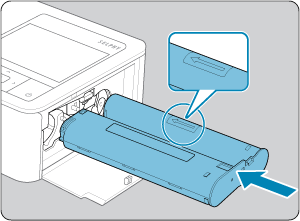
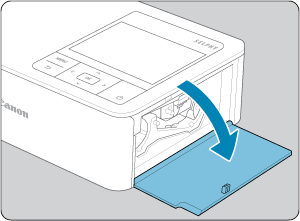
Gently close the cover